- Tab 1
- Tab 2
- Tab 3
Content 1
Content 2
<div id="container" class="max-w-screen-lg py-2 mb-2 bg-white" x-data="{ page: 0 }">
    <ul class="tab-container">
        <li class="tab" :class="{ 'tab-active': page == 0 }" @click="page = 0">Tab 1</li>
        <li class="tab" :class="{ 'tab-active': page == 1 }" @click="page = 1">Tab 2</li>
        <li class="tab tab-disabled">Tab 3</li>
    </ul>
</div>
<div x-show="page == 0">Content 1</div>
<div x-show="page == 1">Content 2</div><div class="flex flex-wrap gap-2 mb-2">
<button type="button" class="button button-gray">Button</button>
<button type="button" class="button button-black">Button</button>
<button type="button" class="button button-green">Button</button>
<button type="button" class="button button-red">Button</button>
<button type="button" class="button button-yellow">Button</button>
<button type="button" class="button button-purple">Button</button>
<button type="button" class="button button-blue">Button</button>
</div>
<div>
<button class="button button-tiny">Tiny</button>
<button class="button button-small button-green">Small</button>
<button class="button button-large button-yellow">Large</button>
<button class="button button-huge button-red">Huge</button>
</div>
Info
Danger border
<div class="grid max-w-screen-md grid-cols-2 gap-2">
    <div class="alert alert-info">
        <span>Info</span>
    </div>
    <div class="alert alert-danger alert-border">
        <span>Danger border</span>
    </div>
</div><div class="flex flex-wrap gap-2 py-2" x-data="{ progress: 60}">
<div class="radial-progress" :style="{ '--value': progress } " x-text="progress + '%'"></div>
<div class="radial-progress text-primary" :style="{ '--value': progress } " x-text="progress + '%'"></div>
<div class="border-4 radial-progress bg-theme-background2 text-theme-text2 border-theme-background1"
:style="{ '--value': 70 } " x-text="progress + '%'"></div>
<div class="radial-progress" style="--size:12rem; --thickness: 2px;" :style="{ '--value': progress } "
x-text="progress + '%'">
</div>
<div class="radial-progress" style="--size:12rem; --thickness: 2rem;" :style="{ '--value': progress } "
x-text="progress + '%'">
</div>
</div><div class="flex flex-col items-center gap-2 p-2 mb-4">
<div class="progress progress-gray progress-small" style="--value: 10;"></div>
<div class="progress progress-green" style="--value: 50;"></div>
<div class="progress progress-large" style="--value: 18.9;"></div>
<div class="progress progress-red progress-huge" style="--value: 67; --text: 'text for huge progress'">
</div>
</div>
gray
green
red
yellow
purple
blue
indigo
pink
<div class="flex flex-wrap gap-2 mb-2">
    <span class="badge badge-gray">gray</span>
    <span class="badge badge-green">green</span>
    <span class="badge badge-red">red</span>
    <span class="badge badge-yellow">yellow</span>
    <span class="badge badge-purple">purple</span>
    <span class="badge badge-blue">blue</span>
    <span class="badge badge-indigo">indigo</span>
    <span class="badge badge-pink">pink</span>
</div>
First name and family name
current job
<ff:input title="Fullname" explanation="First name and family name" />
<ff:input title="Job" inline="true" explanation="<span class='italic'>current job</span>" />
text content
Optional content
<ff:textarea title="Content" explanation="text content" />
<ff:textarea title="Content 2" inline="true" explanation="Optional content" />text1
content1
text1
content2
<ff:content title="Text" content="text1" explanation="content1" />
<ff:content title="Text" content="text1" inline="true" explanation="content2" /><ff:radio title="Radio" options="Opt1,1|Opt2,2|Opt3,3|Long Option Radio,4|Etc Option,5" x-model="radio"
explanation="Select one of the button" cols="3" />
<ff:radio title="Radio" options="Opt1|Opt2|Opt3|Long Option|Etc Option" x-model="radio2"
explanation="Select one of the button" inline="true" /><ff:select title="Select" options="|Opt1|Opt2" x-model="select" />
<ff:select title="Select" options="|Opt1|Opt2" x-model="select" inline="true" /><ff:checkboxes title="Multi checkbox"
options="Opt1|Opt2|Opt3|Quiet Long Options|Very verbose option to put into this input box" cols="3"
model="checks" explanation="tick all that apply" />
single checkbox
inline checkbox
<ff:checkbox title="Checkbox" x-model="check" explanation="single checkbox" />
<ff:checkbox title="Checkbox" x-model="check" inline="true" explanation="inline checkbox" /><ff:autocomplete title="Autocomplete" x-model="autocomplete"
options="Autocomplete 1|Some Random Text|Another Text|Wise Quote|Demotivational Saying|Gibberish Talk|Murmur"
default="autocomplete" />
<ff:autocomplete title="Country" x-model="country" lookupUrl="/ajax/test/country?q="
coattr="id='country'" default="country" /><ff:rating size="large" value="2.2" />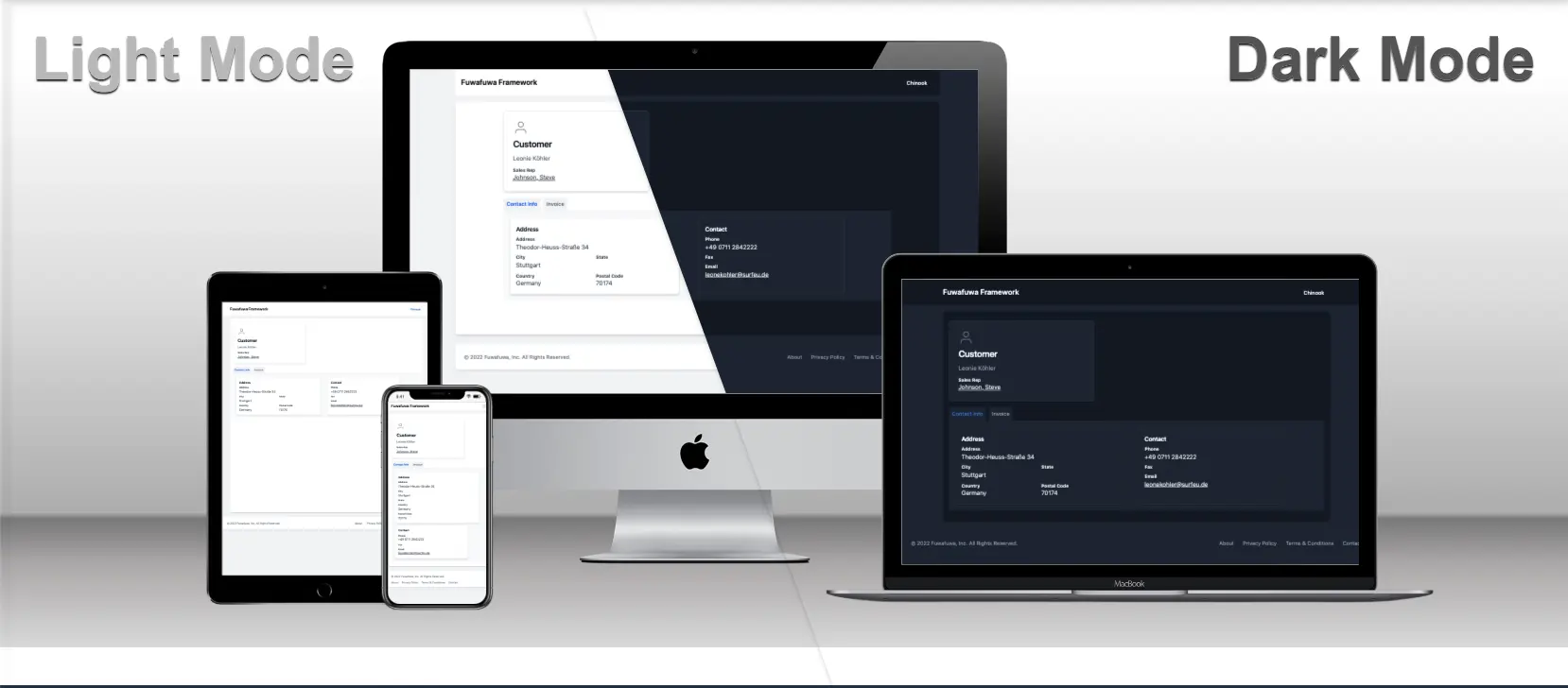
Test Card
Hello all,
Let's go to the beach
<ff:card link="/login" title="Test Card" image="/docs/images/fuwafuwa-framework.webp">
    <p>Hello all,</p>
    <p>Let's go to the beach</p>
    <button class="button button-green" onclick="popupInfo('Test info')">Test3</button>
</ff:card>
Loading...
<div x-data="{ submitting: false }" class="flex gap-2">
    <div><button class="button button-small" x-on:click="submitting = !submitting">Spinner</button></div>
    <ff:spinner x-show="submitting" x-cloak />
</div><ff:modal id="modal1" title="Modal1" size="large">
<div class="min-h-[70vh] px-6 py-4" x-data="modal1">
<div class="mb-4">
<span x-text="ctext"></span>
</div>
<button class="button" @click="modal_modal2.open()">Show 2nd modal</button>
</div>
</ff:modal>